Trace it in a design tool
Place the photo as a locked background layer in Canva, Figma or Word, set each line again on top, then delete the photo. It costs nothing but time, and finding the fonts and lining up the columns is up to you.
Upload a photo or PDF of a paper receipt and a person rebuilds it by hand as a template — the same store header, fonts, line items and spacing, with every line editable and totals that recalculate as you type. We convert it right away. If the store is one of the 600+ already in the template gallery, you can start editing now.
Uploads are part of Studio, $16.50/mo. The account is free — look around first.
Example conversion

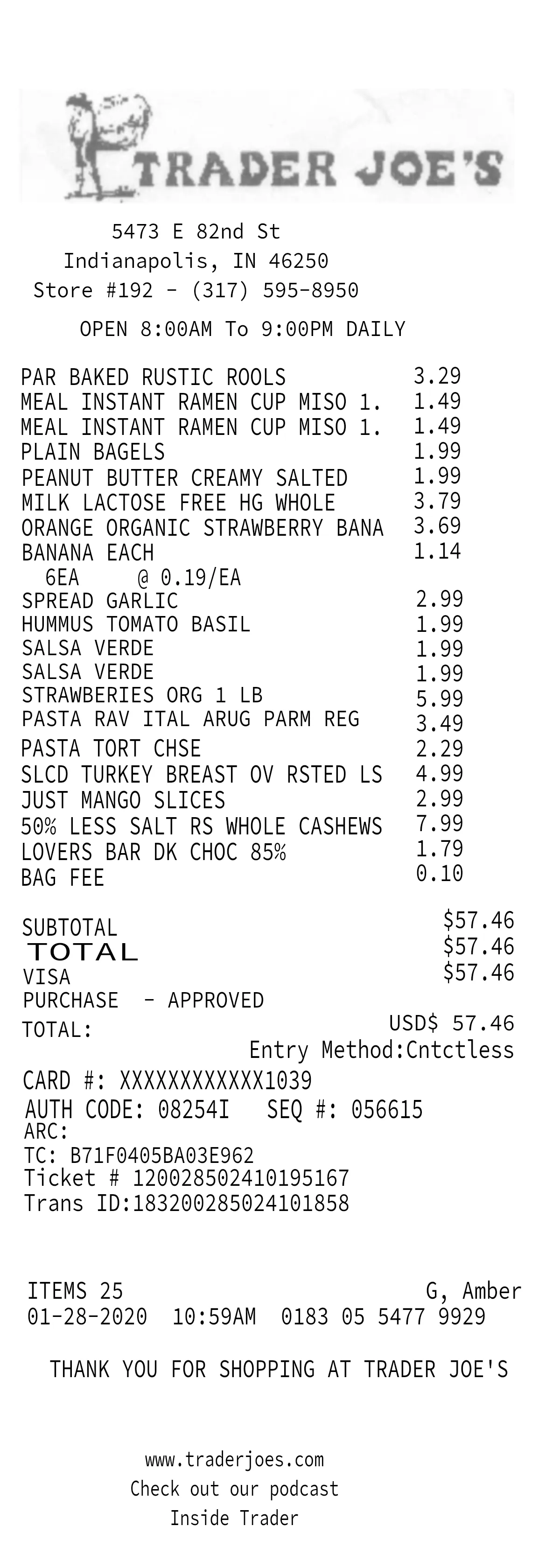
Shown with the Trader Joe’s template from the gallery. Line items, totals, store header, fonts and spacing all come across — then you change whatever you need.
A photo of a receipt is a picture of text. You can crop it, straighten it or brighten it, but changing a word means painting new pixels over the old ones, in a font you had to guess, and every total has to be worked out and retyped by hand.
Rebuilding it as a template turns every line back into real text. You click a line and type, the totals recalculate, and the result stays sharp on screen, as a PDF or out of an 80mm thermal printer. The layout is kept, so the next receipt from the same store starts from a fresh copy instead of another photo.
| Task | Editing the photo | Rebuilt as a template |
|---|---|---|
| Changing a line | Paint over the pixels and retype it | Click the line and type |
| Fonts | Whatever close match you can find | Matched to the paper you sent |
| Totals | Worked out and retyped by hand | Recalculate as you type |
| Sharpness | Fixed at the photo’s resolution | Real text, sharp at any size |
| Next time | Start again from a photo | Open a fresh copy of the template |
| Export | The image you started with | PNG, PDF or 80mm thermal print |
There are three practical ways to turn a receipt photo into something you can edit. Which one fits depends on how much of the original layout you need to keep.
Place the photo as a locked background layer in Canva, Figma or Word, set each line again on top, then delete the photo. It costs nothing but time, and finding the fonts and lining up the columns is up to you.
A PDF editor with text recognition, such as Adobe Acrobat, turns the words in a scan into selectable text. That is ideal for copying figures out, but the layout is approximated and new text seldom matches the original type.
Upload the photo or PDF and a person rebuilds it as a Repceipt template: header, line items, fonts, rules and spacing. We convert it right away, it is part of Studio, and what comes back is a template you can reuse rather than a one-off file.
A phone photo is fine. Flat on a table beats held in the air, but we work from creased, curled and faded ones every day. Drag it onto the uploads page and you are done.
As soon as it arrives, a person rebuilds your receipt by hand as a template that matches the paper you sent — the store header, the fonts, the dashed rules and the spacing.
It lands in your library and opens in the same editor as everything else — every line editable, totals recalculating as you type. Opening it makes a copy, so the original stays clean however many times you reuse it.
Fonts are matched, not swapped for a generic receipt font. Across the 632 receipts in our receipt typography study there are 24 typeface families in 176 combinations, so no single default would look right.
The fine print
The editor is. A free account opens all 600+ gallery templates and lets you edit every line. Converting your own receipt from a photo is part of the Studio plan, so you can see how editing works before you pay for anything.
Not as a photo: a picture of text can only be painted over. Upload it instead and we rebuild it as a template, after which every line is real text you click and retype in the browser, on a computer or a phone.
We convert it right away. You can watch it move from pending to building to ready on your uploads page, and we can email you when it lands.
No. A person rebuilds each upload by hand. The editor you use afterwards is the same one every gallery template opens in.
The store header, line items, totals, fonts, dashed rules and spacing are all matched to the receipt you send. Every line is editable afterwards, so anything that needs adjusting you can change yourself.
A JPG, PNG or PDF up to 20 MB. You can have five conversions in progress at once, so the cap is on what is in the queue rather than on the month.
Only you. Uploads go to private storage scoped to your account, they are never added to the public gallery, and you can delete one — file and preview together — whenever you want.
Recreating your own receipt as a template — for your records, a mockup, teaching or a prop — is ordinary. Changing a receipt to claim money you are not owed, such as a refund, an expense claim or a tax deduction, is fraud, and our Terms prohibit it.
Then you do not need this. Search the gallery first — there are 600+ store layouts already drawn, and editing them needs only a free account.